
Convert Videos to Structured Notes
✨ AI perfectly extracts hardcoded subtitles — no missed, zero typos. From 1-hour video to Markdown in 20 minutes ⚡
Supported formats: MP4, MKV, AVI, MOV, WEBM. Max: 2 hours / 2GB
Key Features
Extract Hardcoded Subtitles with Vision AI
Perfectly reconstructs hardcoded subtitles from videos — no background clutter. Zero typos, zero missed lines — the extracted text is identical to what you see on screen, freeing you from painful manual proofreading.
Transcript That Reads Like an Article
VidFoil's AI turns your video into a clean, readable transcript — with proper punctuation, complete sentences, and well-organized paragraphs. Ready to read straight through.
Video to Markdown Notes in One Click
Generate structured notes with summaries, headings, and outlines, ready for Obsidian, Notion, or any personal knowledge base.
See It In Action
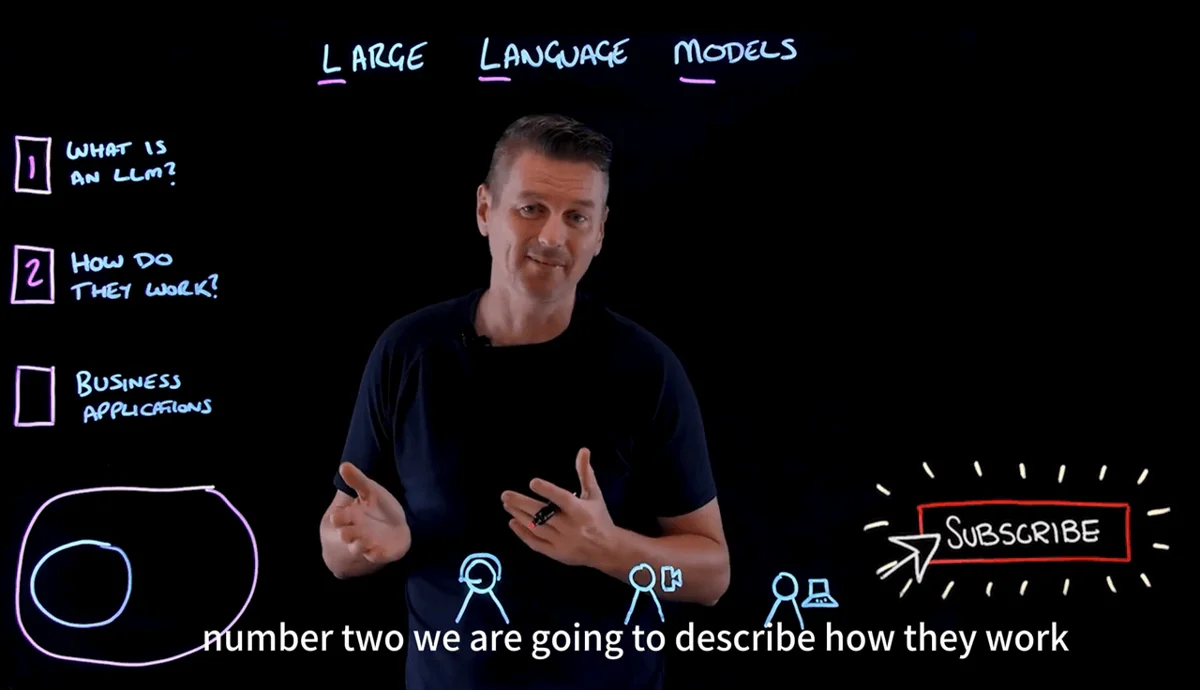
Original Video Frame (Hardcoded Subtitles)
VidFoil Output (Structured Markdown)
Who is VidFoil for?
Why VidFoil?
| VidFoil | ASR Tools | Traditional OCR | Manual Notes | |
|---|---|---|---|---|
| Hard Subtitle Reading | ||||
| Zero Missed Frames | ||||
| Background Text Filtering | ||||
| Technical Terminology | ||||
| Structured Markdown | ||||
| Processing Speed | About 20 min / 1h video | FastProne to typos, high error rate in long videos | Slow | ~4h / 1h video |
Is VidFoil really free?
Yes. Registration includes a one-time 1,200-credit free trial with up to 2 hours of subtitle extraction. No credit card is required and there is no automatic renewal.
Is there a file size or duration limit?
The free trial includes 1,200 one-time credits and supports videos up to 30 minutes each. Paid plans support videos up to 2 hours / 2GB.
How is my data used and protected?
Your privacy is our top priority. Videos are processed on secure servers and are automatically deleted 24 hours after conversion. We do not view, share, or train our models on your content.
What is 'hardcoded subtitle' recognition?
Hardcoded subtitles are part of the video image itself. Standard tools struggle with them. VidFoil uses next-generation AI to perfectly understand and extract this text, ensuring you get an identical transcript of what you see on screen.
How do credits work?
Hardcoded subtitle extraction costs 10 credits per video minute. Generating a transcript from video costs 15 credits per minute, and Markdown costs 20. The one-time free trial includes 1,200 credits; Standard includes 18,000 credits per month and Pro includes 60,000. Subscription credits reset monthly, while free-trial and credit-pack credits never expire.
Does VidFoil support YouTube?
Yes. Just paste a YouTube URL. If the video has soft subtitles, it will be processed faster and cost fewer credits. Because this capability depends on third-party technologies and upstream policies, occasional instability may occur. We continuously work to keep it available, but cannot guarantee uninterrupted availability at all times.
Are all video subtitle types guaranteed to convert perfectly?
For standard static subtitles (e.g., YouTube auto-generated captions, movie subtitles), VidFoil delivers high-accuracy conversion. However, the following special effect subtitles may affect recognition quality: words highlighting one by one, subtitles frequently changing positions on screen, and subtitles with complex animations or effects. If your video contains such effects, we recommend testing with your free credits first. Our 'Zero Missed' promise means the AI reads the video continuously rather than sampling at fixed intervals, so no subtitle is skipped or overlooked.
Do Free, Plus, and Pro use the same AI?
Yes. Free, Plus, and Pro use the same high-accuracy AI engine. The differences are monthly quota, processing priority, and paid-plan features.
Can I process videos without subtitles?
Yes. If the video has no visible subtitles, VidFoil will automatically switch to audio recognition to extract content. However, audio recognition may produce typos or inaccurate punctuation, and the results won't match the accuracy of hardcoded subtitle recognition. VidFoil works best with videos that have visible subtitles.
Can VidFoil recognize PPT slides, code, or formulas in videos?
The current version focuses on extracting subtitle text from videos. Visual elements like charts, handwritten formulas, and diagrams are not extracted as text — for such content, screenshots are generally more useful than text extraction. We plan to support documents with key frame screenshots in a future update, so you won't miss any visual information.
What does the Markdown output include?
The output document includes: a content summary, auto-generated chapter headings, and the complete subtitle text with key terms bolded. It's standard Markdown format, ready to import into Obsidian, Notion, or any Markdown-compatible note app.
Will I lose credits if processing fails?
If the failure is due to video format issues or an internal system error, no credits are deducted. If the AI engine has already started processing (resources consumed), credits will be charged as normal. You can resubmit failed videos to try again, or contact us via the support email for assistance.
What languages are supported? Is quality the same for all?
VidFoil supports 50+ languages. Major languages like English, Chinese, Japanese, Korean, French, German, and Spanish deliver the best results. Other languages are supported but accuracy may vary depending on font style and visual complexity. We recommend testing with your free credits first.